
Fly with me Korean Air's Chatbot
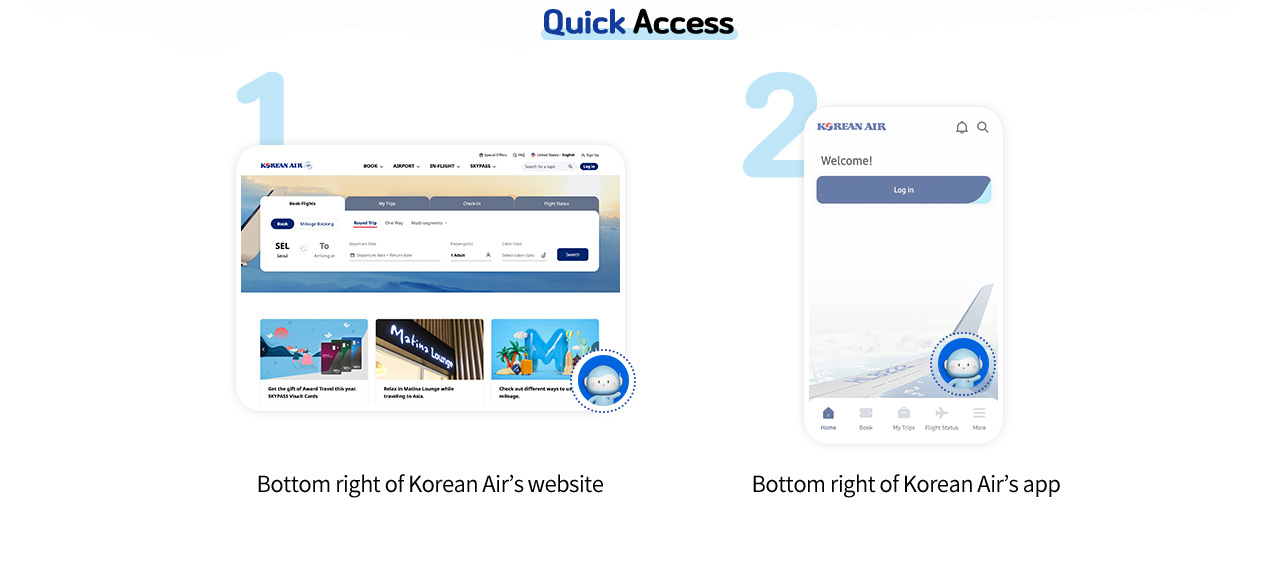
Quick Access
- Bottom right of Korean Air’s website
- Bottom right of Korean Air’s app
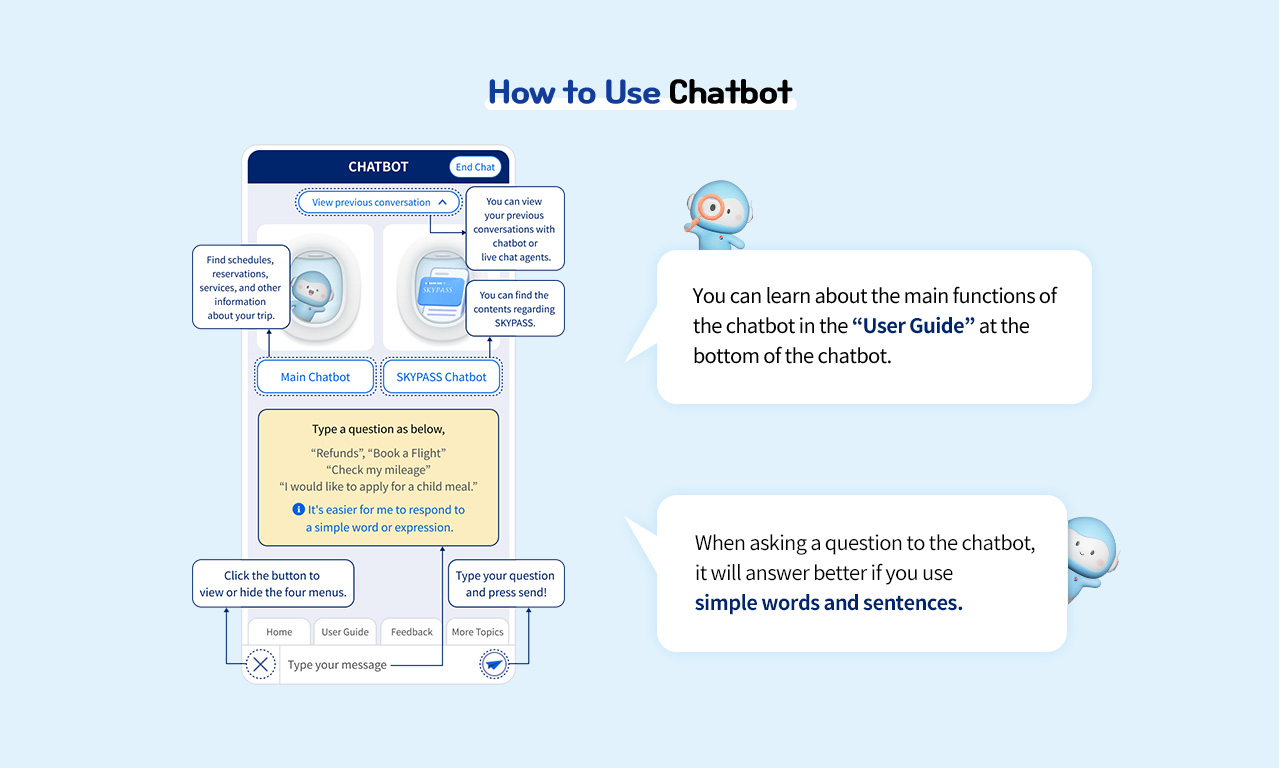
How to Use Chatbot
-
[View previous conversation] You can view your previous conversations with chatbot or live chat agents.
-
[Main Chatbot] Find schedules, reservations, services, and other information about your trip.
-
[SKYPASS Chatbot] You can find the contents regarding SKYPASS.
-
[Show/Hide Menu] Click the button to view or hide the four menus.(Home, User Guide, Feedback, More Topics)
-
[Send] Type your question and press send!
-
When asking a question to chatbot, type a question as belowe.g)
- Refunds
- Book a Flight
- Check my mileage
- I would like to apply for a child meal.
Note. It's easier for me to respond to a simple word or expression.
You can learn about the main functions of the chatbot in the “User Guide” at the bottom of the chatbot.
When asking a question to the chatbot, it will answer better if you use simple words and sentences.
Let's travel the world! Your smart and comfortable trip begins when you converse with Korean Air's chatbot.
 Chatbot Click! Open a new window.